

Leon: I am not surprised that this is a RJCSmad weapon
Killerwolf: If you even think about making the BOCW Motorcycle Stoner, a public flogging is the most kind thing I would do to you.
Germantacos: If you dare mention that mod pack, I will end you very painfully.
Alcat: Even I wouldn't stoop to this impropriety
Mira: Yet another RJC upload that has shaken my belief in humanity
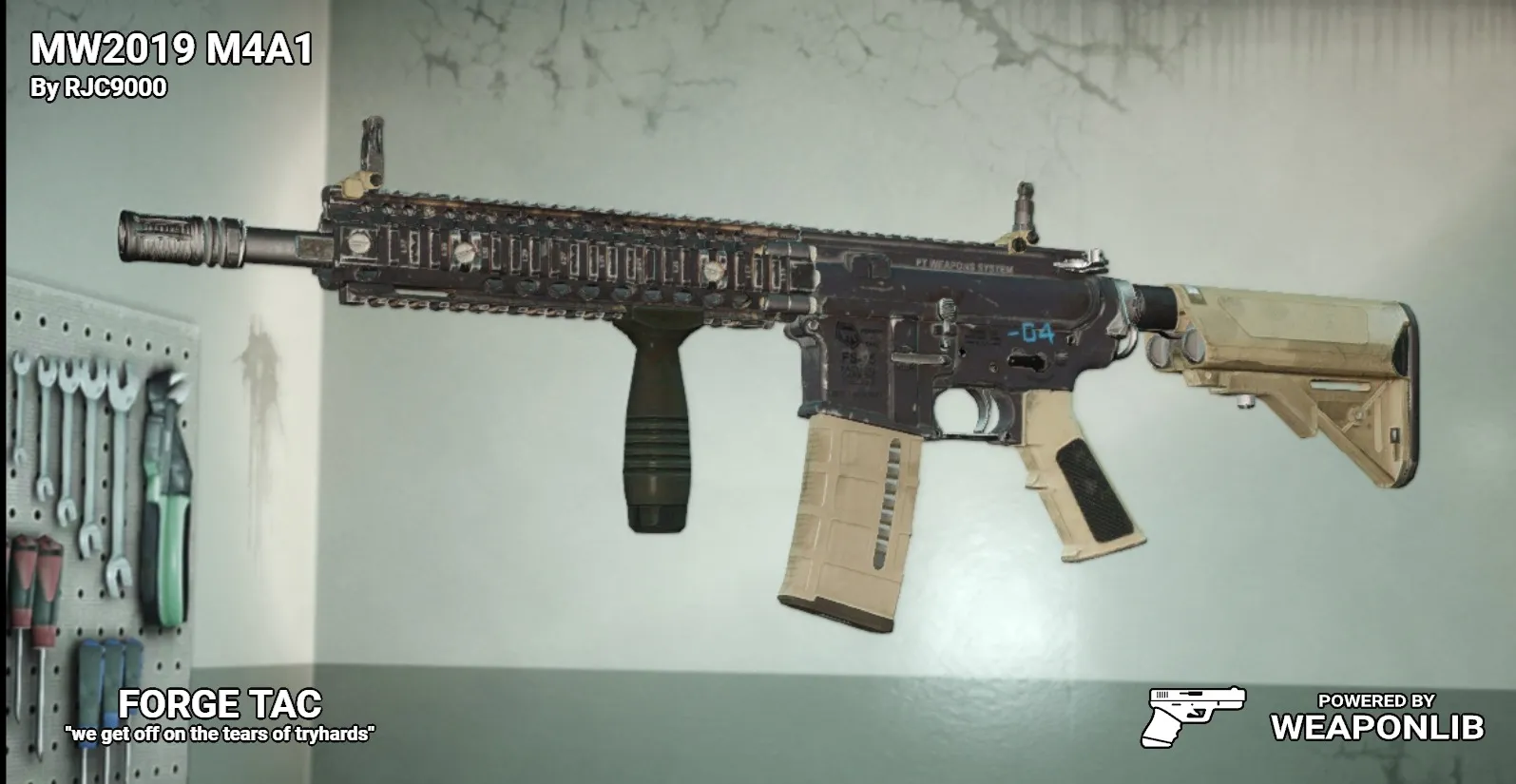
2019's reinvention of the COD's classic jack of all trades gun.
Thanks to PlayBONK for the awesome animation work!
The MW2019 M4A1 is based on the vanilla M4A1 (CAR4) and is unlocked at level 6.
The MW2019 M4A1 emphasizes flexibility through modifications, just like its original counterpart from MW2019.
Stat Notes:
Note: the stats talk about the base weapon stats, not including the default mods that will raise weapon stats slightly.
Spoiler!
Functions almost like the vanilla M4A1, with about as much modification ability and a MUCH faster fire rate.
The fire rate matches the original MW2019 variant at 833 RPM, allowing you to put out faster damage per second, but also making the gun kick more often.
The MW2019 M4 has a slightly subpar damage at 59, though it hits the 64 damage 4 shot headshot benchmark with ease.
The base accuracy average at 52 and the stability is supbar at 36.
The concealment is passable at a base of 18, but mods can patch this area up to bring up the concealment to the high 20s/low 30s.
The ammo capacity is the same as the vanilla M4A1 at 30 rounds per standard magazine and a total ammo pool of 150 bullets.
The ammo pickup is slightly lower than the vanilla M4A1 at 2-8 (before factoring the perkdeck passive). This should be plenty to kill things, so as long as you have some semblance of aim.
The weapon's main gimmick is its ability to be modded for any situation.
You can make your favorite tryhard no recoil setups with the longer parts.
You can make sneaky, concealment based setups for your favorite stealth/crit fishing setups.
You can take the .458 SOCOM rounds and make a DMR setup.
You can meme with the 9mm Magazines and make a primary SMG setup.
Even a plain, non modified rifle with default parts should be acceptable for most fights, though it wont excel in any particular area.
Pretty much all of your favorite (and not so favorite) vanilla attachments should be available to use.
Known Issues:
-Most of the stock adapters are see through because of the original buffer tube model not being solid.
Probable Future Asked Questions:
Q: Leon: You were doing so good until you started doing the blueprint textures! WTF Happened?!?
A: Consider that as part of the April Fools joke: instead of getting RJCSMad (TM) quality textures, you actually get some nice looking textures... at least on the basic parts. And then the blueprint parts go back to my usual standard.
Q: Skinmaps?
A: Not interested, perfectly happy with.
Q: What happened to the blueprints?!
A: I put poison in their mutton. They have been removed to the extras tab
Q: Other MW2019/MW2022 Weapons?!
A: There are a few other MW2019 weapons that I have exist in the wild, albeit unlisted.



Weapon doesn't load in inventory, attempting to modify it softlocks the game.
Not sure what the problem could be.
The closest I can suspect is an issue with the auto update/the file format, but on my end, I found everything to load up alright.
I did try a fresh install of the weapon, purposely deleting my existing version, installing the 1.00 version into my overrides, and letting Beardlib Auto Update re-update the weapon. After restarting the game, I found the weapon to load up okay, with the base weapon loading up just fine and all the mods previewing just fine.
Same problems