Put both the items and the custom characters mods into the MODS folder (do NOT put the items into the CustomCharacterData folder).
Launch the game.
Download any of the files and unzip it into the new folder named "CustomCharacterData".
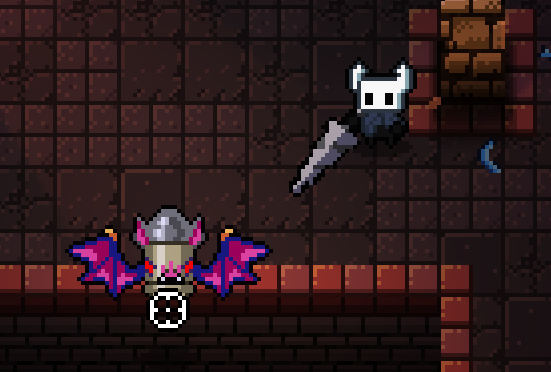
To check that everything is correct you can go to the right side of the breach and check is the knight there.
Descriptions of what these items do can be found at the download page of the items.
NOTE: The Soul Vessel needs to be dropped and picked up again for it to work. There is no known fix for this at the moment. This bug was fixed in the recent patch of the items mod. Also be sure to re-download the newest version of the character for it to work.
Frookin Rice, u put the the items mod into the mods folder in the etg folder and delete mods.txt, make sure to not unzip Hk items. This is probably why it can't find the characterdata.txt folder. For 3, im not to sure, did u accedently put the sprites in the rescources folder?
39 1287
We Use Cookies 🍪We use cookies to improve your user experience. Will you allow us to store them?



Frookin Rice, u put the the items mod into the mods folder in the etg folder and delete mods.txt, make sure to not unzip Hk items. This is probably why it can't find the characterdata.txt folder. For 3, im not to sure, did u accedently put the sprites in the rescources folder?