Trans To Vostok
A multilingual translation mod for Road to Vostok.
NOTE: This mode is currently under development. .
- Currently supported languages: English (game default), Korean (in development)
- Development is focused on Korean translation and the ToolBox first.
- Detailed manuals and the ToolBox will be published on GitHub once development reaches a sufficient milestone.
1. Introduction
Trans To Vostok is a mod under development to support multilingual localization for Road to Vostok.
It aims to deliver complete, non-missing translation across all translatable game content — UI, items, quests, interactions, and more.
2. Key Features
- Game Translation (core feature)
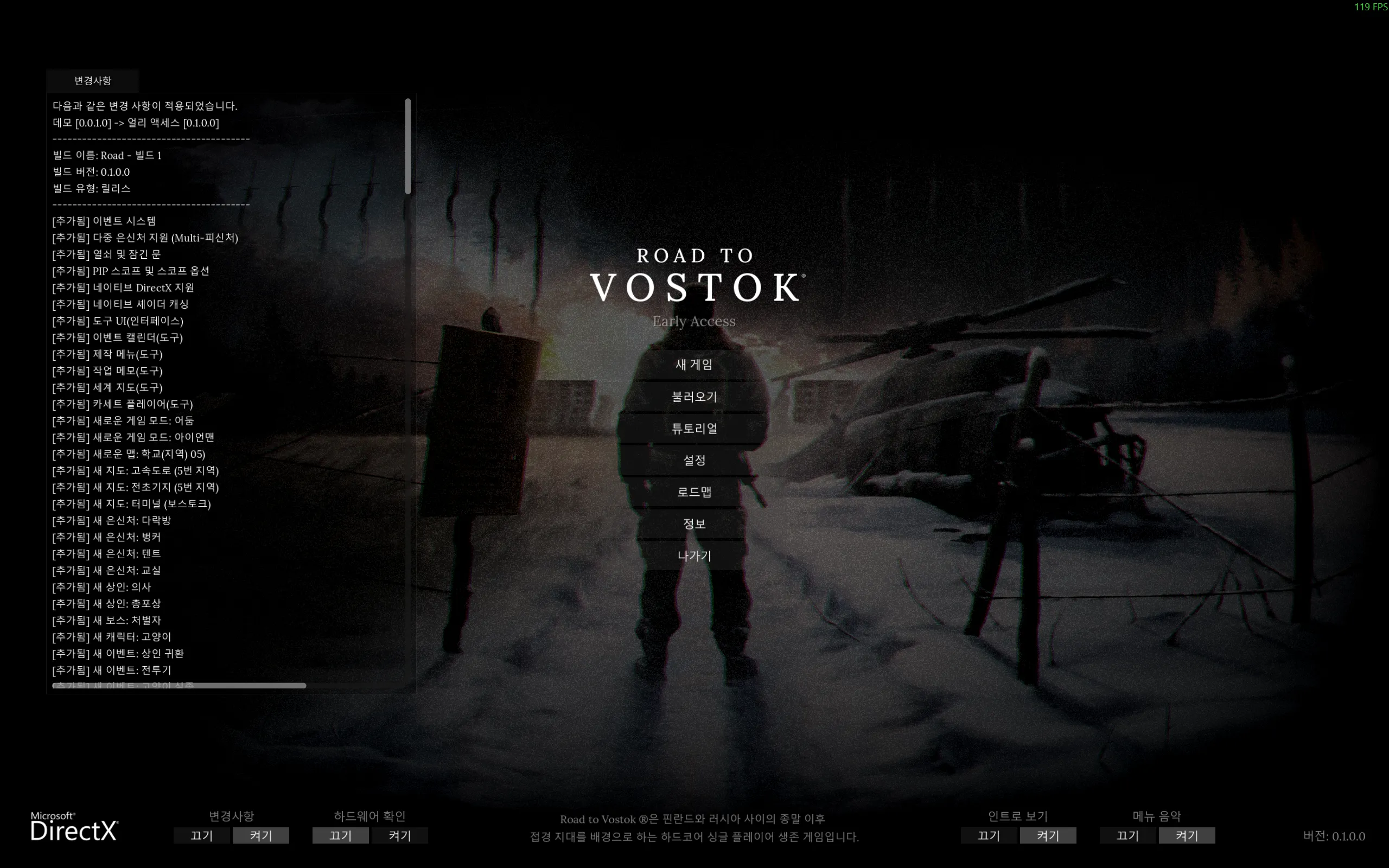
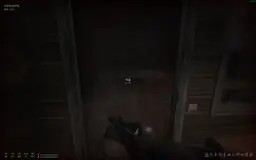
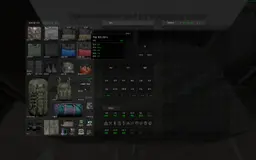
- Translates in-game UI, tooltips, item names, event descriptions, trader dialogue, and more.
- UI Support
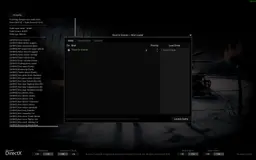
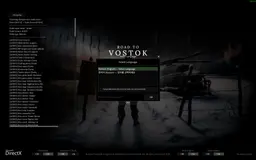
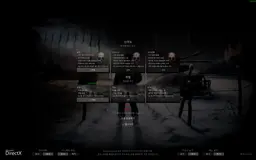
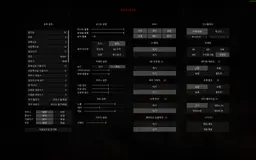
- Opens a language selection UI via
F9hotkey when the mod is loaded. - Switch languages at runtime without restarting the game.
- Compatibility mode toggle provided (see below).
- Opens a language selection UI via
- Text Position Realignment
- When translation changes text length, on-screen layout can shift (e.g.,
A: Blayouts like tooltip's "Weight: 0.8kg"). - This mod measures the translated label's actual font width and auto-adjusts the Value node's offset.
- Targets:
Labelnodes with a childValueLabel (manual positioning) - Auto-aligns "label: [value]" patterns in Tooltip, inventory stats, etc.
- Disabled in Compatibility Mode — avoids interfering with game scene structure.
- Targets:
- When translation changes text length, on-screen layout can shift (e.g.,
- 1:1 Property-Based Translation (Precision Matching)
- Instead of simple text substitution, translation targets are specified directly via Godot node structural identifiers:
(location, parent, name, type, text) → translationlocation: Scene file path (e.g.,UI/Interface)parent: Parent node path within the scene (e.g.,Tools/Notes)name: Node name (e.g.,Hint)type: Godot node class (e.g.,Label)text: Original source text
- The same word can be translated differently depending on which UI/node it appears in — prevents mismatches, enables context-aware translation.
- Example: NVG (Night Vision Goggle) can show the full name in settings but "NVG" everywhere else.
- N-Tier Fallback Matching
- Looks up translations through 9 tiers, from specific context to generic substitution:
- Current implementation (subject to change):| Tier | Match Method | Notes |
| ---- | -------------------------------------------- | ------------------------------------ |
| 1 | static exact — all 5 fields match | All fields match exactly |
| 2 | scoped literal exact | Dynamic text (runtime assignment) |
| 3 | scoped pattern exact | Regex + scene context |
| 4 | literal global | Full text match (global) |
| 5 | pattern global | Regex (global) |
| 6 | static score | Partial context match (+8/+4/+2/+1) |
| 7 | scoped literal score | Dynamic text, partial context |
| 8 | scoped pattern score | Regex + partial context |
| 9 | substr | Substring substitution (last resort) |
- Compatibility Mode
- Temporary fallback when game updates break matching structure.
- Treats all translation data as sub-strings (dictionary) via substring substitution.
- Lower precision, but largely unaffected by scene structure changes.
- Lets players keep using translations until the mod is updated.
- Toggle on/off via checkbox in the F9 UI.
- Image / Texture Translation (added in v0.3.0)
- Game textures can be replaced with localized versions at runtime — sprites, Sprite3D, and MeshInstance3D ShaderMaterial
sampler2Dparameters. - Scans
<locale>/textures/recursively; paths mirror the originalres://layout. - Missing files are silently skipped — original texture is kept, no crash.
- Originals are restored on language switch (mirrors the text translator lifecycle).
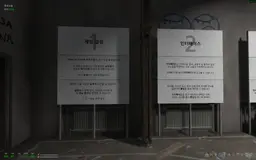
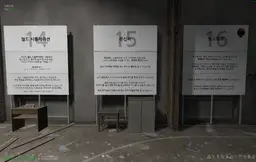
- First shipped set: Korean Tutorial Billboard textures (17 images).
- Note: Translated textures were hand-crafted (reconstructed), and may include hand-drawn work and/or copyright-free assets, so some icons may differ slightly from the originals (e.g., Performance icon, Permadeath skull icon on the Tutorial Billboards).
- Game textures can be replaced with localized versions at runtime — sprites, Sprite3D, and MeshInstance3D ShaderMaterial
- Priority Whitelist (added in v0.3.1)
- Optional path-keyword presets that force per-frame priority translation for specific UI areas (HUD map label, inventory, trader UI, etc.).
- Intended for mod compatibility — when another mod periodically overwrites in-game text (e.g., ImmersiveXP overriding
HUD.gd._physics_processcauses map-name flicker), enabling the relevant preset eliminates the flicker. - All presets default OFF. Toggle via the Whitelist tab in the F9 UI. Per-preset state persists to
user://trans_to_vostok.cfg.
3. Installation
NOTE: This mod requires a mod loader such as MetroModLoader.
- Install MetroModLoader or VostokMods for Godot: https://modworkshop.net/mod/55623
- Download
Trans To Vostok.zipand copy it into the game'smods/folder.
e.g.,C:\Program Files (x86)\Steam\steamapps\common\Road to Vostok\mods\
or:D:\SteamLibrary\steamapps\common\Road to Vostok\mods\ - Launch the game — it starts in the default language (English).
- Press F9 to open the language selection UI and switch to your preferred language.
4. Supported Languages
- English: The game's default language.
- Korean (한국어): Currently in development/testing.
- Other languages will be supported gradually after the ToolBox development is complete.
To request additional languages, please submit a GitHub issue (to be published).
5. TODO (Roadmap)
5.1. Feature Implementation
- Runtime translation engine prototype (N-tier fallback)
- Prototype development targeting game version 1.0.0
- Language selection UI added
- Text position realignment added
- Compatibility mode added
- Performance options added to UI (added in v0.2.0)
- Partial image replacement support — runtime texture loader + Korean Tutorial billboards (added in v0.3.0)
- Priority whitelist — per-frame translation presets for mod compatibility, F9 UI toggles (added in v0.3.1)
- Testing current mod build against game 1.0.0 (in progress)
- Texture metadata list + validation (TODO carried over from v0.3.0)
- User-custom whitelist keyword input for unverified mods (TODO carried over from v0.3.1)
- Translator optimization
- Debug mode (planned)
5.2. Translation Support
- Complete translation template based on Korean
- After template cleanup, provide temporary machine-translated support for other languages
- Publish translation ToolBox prototype on GitHub
- Recruit translators or collaborate via GitHub
- Publish ToolBox and manual prototype on GitHub
- Create branches for additional languages (French, Japanese, Chinese, German, etc.)
- Design translation workflow for stable / beta game branches (version-specific diffs, release tagging, side-by-side maintenance)
Developer/Translator's ToolBox (Not released yet)
The mod repository includes Python tools for the translation pipeline:
| Tool | Role |
|---|---|
set_requirements.py |
Bootstrap: install pip deps + download gdre_tools |
unpack_and_decompile_pck.py |
Decompile the game PCK file |
extract_tscn_text.py |
Extract translatable text from .tscn scene files |
extract_tres_text.py |
Extract text from .tres resource files |
extract_gd_text.py |
Extract UI strings from .gd scripts |
check_untranslated.py |
Translation gap / coverage report |
check_duplicate.py |
Pre-build duplicate key detector (xlsx-only) |
check_conflict.py |
Conflict check (same source text, different translations) |
check_old_translation.py |
Detect stale translations from removed game content |
validate_translation.py |
xlsx schema / duplicate / match validation |
build_runtime_tsv.py |
Build runtime TSV from xlsx |
build_mod_package.py |
Build final mod zip package (incl.textures/) |
Detailed ToolBox manual will be published on GitHub after development is complete.
Technical Structure
- Runtime text engine:
translator.gd(GDScript autoload) - Runtime texture engine:
texture_loader.gd(GDScript, lifecycle-managed bytranslator_ui.gd) - UI:
translator_ui.gd(language selection UI triggered by F9) - Text data:
<locale>/translation_*.tsv(built from xlsx) - Image data:
<locale>/textures/**/*.png(mirrorsres://layout) - Matching approach: 1:1 mapping based on Godot node structure (see the header comment in
translator.gdfor details)
License
To be specified upon GitHub publication.
Contact
Please reach out via GitHub issues (to be published) or the mod distribution channel.
========================================
Trans To Vostok
Road to Vostok의 다국어 번역 지원 모드.
NOTE: 해당 모드는 현재 개발중에 있습니다.
- 현재 지원 언어: English (게임 기본언어), Korean (개발 중)
- 한국어를 대상으로 개발 및 ToolBox를 우선 개발 중입니다.
- 개발이 어느 정도 완료되면 GitHub에 자세한 메뉴얼과 ToolBox 등을 공개할 예정입니다.
1. 소개
Trans To Vostok는 Road to Vostok의 다국어 지원을 위해 개발 중인 모드입니다.
UI, 아이템, 퀘스트, 상호작용 등 게임 내 번역 가능한 부분을 누락 없이 최대한 무결성 번역하는 것을 목표로 합니다.
2. 주요 기능
- 게임 번역 (기본 기능)
- 게임 내 UI, 툴팁, 아이템 이름, 이벤트 설명, 트레이더 대사 등을 번역합니다.
- UI 지원
- 모드 로드 시 단축키
F9로 언어 선택 UI 표시 - 게임 재시작 없이 런타임에 언어 전환 가능
- 호환성 모드 토글 제공 (아래 참고)
- 모드 로드 시 단축키
- 문자 위치 재정렬
- 번역으로 텍스트 길이가 달라질 경우 실제 화면 위치가 어긋날 수 있습니다 (예: 툴팁의 "Weight: 0.8kg" 같은
A: B레이아웃). - 해당 모드는 번역된 라벨의 실제 폰트 너비를 측정하여 Value 노드의 offset을 자동 재조정을 지원합니다.
- 대상:
Label노드 + 자식ValueLabel (수동 위치) - Tooltip, 인벤토리 스탯 등의 "라벨: [값]" 패턴 자동 정렬
- 호환성 모드에서는 비활성 — 게임 씬 구조에 간섭하지 않음
- 대상:
- 번역으로 텍스트 길이가 달라질 경우 실제 화면 위치가 어긋날 수 있습니다 (예: 툴팁의 "Weight: 0.8kg" 같은
- 게임 내 property와 1대1 매칭 번역 (정밀 매칭)
- 단순 text 치환이 아니라 Godot 노드의 구조적 식별자로 번역 대상을 직접 지정합니다:
(location, parent, name, type, text) → translationlocation: 씬 파일 경로 (예:UI/Interface)parent: 씬 내 부모 노드 경로 (예:Tools/Notes)name: 노드 이름 (예:Hint)type: Godot 노드 클래스 (예:Label)text: 원문
- 같은 단어라도 어느 UI의 어느 노드에 있는지에 따라 다르게 번역 가능 — 오매칭 방지, 문맥별 번역 지원.
- 예: NVG(Night Vision Goggle의 경우, 설정에서는 Full Name을, 그 외에는 NVG을 표시)
- N-Tier Fallback 매칭
- 구체적인 컨텍스트부터 일반 치환까지 9단계로 조회합니다:
- 현재 구현 방식 (수정될 수 있음)| Tier | 매칭 방식 | 비고 |
| ---- | ----------------------------------------- | -------------------------------- |
| 1 | static exact — 5개 필드 완전 일치 | 모든 필드가 완벽하게 일치 |
| 2 | scoped literal exact | 동적 텍스트 (코드 할당) |
| 3 | scoped pattern exact | 정규식 + 씬 컨텍스트 |
| 4 | literal global | 텍스트 완전 일치 (전역) |
| 5 | pattern global | 정규식 (전역) |
| 6 | static score | 부분 컨텍스트 매칭 (+8/+4/+2/+1) |
| 7 | scoped literal score | 동적 텍스트 부분 컨텍스트 |
| 8 | scoped pattern score | 정규식 + 부분 컨텍스트 |
| 9 | substr | 부분 문자열 치환 (최후 fallback) |
- 호환성 모드 (Compatibility Mode)
- 게임 업데이트로 매칭 구조가 깨졌을 때 임시 대응용.
- 모든 번역 데이터를 sub-string(사전) 취급하여 부분 문자열 치환으로 동작
- 정밀도는 낮지만 씬 구조 변경에 크게 영향받지 않음
- 개발자가 모드를 업데이트하기 전까지 플레이어가 번역을 계속 사용할 수 있음
- F9 단축키를 통해 UI에서 체크박스로 on/off 가능
- 이미지 / 텍스처 번역 (v0.3.0에서 추가)
- 게임 텍스처를 로케일별 번역본으로 런타임에 교체 — 스프라이트, Sprite3D, MeshInstance3D 의 ShaderMaterial
sampler2D파라미터 지원. <locale>/textures/디렉토리를 재귀 스캔. 경로는 원본res://구조를 그대로 미러링.- 번역 파일이 없으면 조용히 스킵 — 크래시 없이 원본 텍스처 유지.
- 언어 전환 시 원본 복원 (텍스트 translator 와 동일한 라이프사이클).
- 최초 적용: 한국어 튜토리얼 빌보드 텍스처 17장.
- 참고: 번역 텍스처는 수작업으로 재구성(hand-crafted)되었으며, 직접 그린 작업물(hand-drawing) 또는 저작권이 없는 애셋이 포함될 수 있어 일부 아이콘이 원본과 조금 다를 수 있음 (예: 튜토리얼 빌보드의 Performance 아이콘, Permadeath 해골 아이콘 등).
- 게임 텍스처를 로케일별 번역본으로 런타임에 교체 — 스프라이트, Sprite3D, MeshInstance3D 의 ShaderMaterial
- 우선 순위 화이트리스트 (v0.3.1에서 추가)
- 특정 UI 영역(HUD 맵 이름, 인벤토리, 트레이더 UI 등)을 매 프레임 번역으로 승격시키는 경로 키워드 프리셋을 선택적으로 활성화할 수 있습니다.
- 모드 호환성을 위한 기능 — 다른 모드가 게임 텍스트를 주기적으로 덮어쓰는 경우(예: ImmersiveXP 의
HUD.gd._physics_process오버라이드로 맵 이름이 깜빡이는 현상), 해당 프리셋을 활성화하면 깜빡임이 사라집니다. - 모든 프리셋은 기본 OFF. F9 UI 의 Whitelist 탭에서 토글하며, 상태는
user://trans_to_vostok.cfg에 저장됩니다.
3. 설치
NOTE: 해당 모드는 MetroMoadLoader 등의 모드로더를 요구합니다.
- Godot용 MetroModLoader 또는 VostokMods가 설치되어 있어야 합니다. https://modworkshop.net/mod/55623
Trans To Vostok.zip파일을 다운로드 받은 후, 게임의mods/폴더에 복사합니다.
예:C:\Program Files (x86)\Steam\steamapps\common\Road to VostokTrans To Vostok\mods\
또는:D:\SteamLibrary\steamapps\common\Road to Vostok\mods\- 게임을 실행하면 기본 언어(English)로 시작됩니다.
- F9 키로 언어 선택 UI를 열어 원하는 언어로 전환합니다.
4. 지원 언어
- English: 게임의 기본 언어입니다.
- 한국어(Korean): 현재 개발/테스트 중인 언어입니다.
- 그 외 다른 언어는 ToolBox에 대한 개발이 완료된 후, 천천히 지원해 나갈 계획입니다.
추가 언어 지원을 원하시면 GitHub 이슈로 요청해 주세요. (차후 공개 예정)
5. TODO (로드맵)
5.1. 기능 구현
- 런타임 번역 엔진 프로토타입 임시 구현 (N-tier fallback)
- 1.0.0 버전을 대상으로 번역 모드 Prototype 개발
- 언어 선택 UI 추가
- 문자 위치 재정렬 기능 추가
- 호환성 모드 추가
- UI에 성능 옵션 추가 (v0.2.0에 추가됨)
- 일부 이미지 교체 기능 — 런타임 텍스처 로더 + 한국어 튜토리얼 빌보드 (v0.3.0에 추가됨)
- 우선 순위 화이트리스트 — 모드 호환용 매 프레임 번역 프리셋, F9 UI 토글 (v0.3.1에 추가됨)
- 현재 개발된 모드를 게임 1.0.0 버전에 대한 테스트 (진행 중)
- 텍스처 메타데이터 리스트 + 검증 도구 업데이트 (v0.3.0 에서 추가된 TODO)
- 확인되지 않은 모드에 대응할 수 있도록 사용자 커스텀 whitelist 키워드 입력 (v0.3.1 에서 추가된 TODO)
- 번역기 최적화
- 디버그 모드 추가 (예상)
5.2. 번역 지원
- Korean 번역을 기준으로 번역 템플릿 완성
- 번역 Template 정리 후, 기계번역 등을 이용해 다른 언어에 대한 임시 지원 추가
- 번역 ToolBox 프로토타입 GitHub 공개 및 관리
- 번역가 모집 또는 GitHub를 통한 협업
- ToolBox 및 메뉴얼 Prototype 완성 후 GitHub 공개
- 추가 언어 지원 Branch 생성 (프랑스어, 일본어, 중국어, 독일어 등)
- 정식 / 베타 버전에 대한 번역 workflow 설계 (버전별 diff, 릴리스 태깅, 양쪽 동시 유지)
개발자/번역가용 ToolBox (아직 공개 안됨)
모드 저장소에는 번역 파이프라인 구축용 Python 도구가 포함되어 있습니다:
| 도구 | 역할 |
|---|---|
set_requirements.py |
부트스트랩: pip 의존성 설치 +gdre_tools 자동 다운로드 |
unpack_and_decompile_pck.py |
게임 PCK 파일 디컴파일 |
extract_tscn_text.py |
.tscn 씬 파일에서 번역 대상 텍스트 추출 |
extract_tres_text.py |
.tres 리소스 파일에서 텍스트 추출 |
extract_gd_text.py |
.gd 스크립트에서 UI 문자열 추출 |
check_untranslated.py |
번역 누락/커버리지 리포트 |
check_duplicate.py |
빌드 전 중복 키 사전 검사 (xlsx 단독) |
check_conflict.py |
번역 충돌 검사 (같은 원문 다른 번역) |
check_old_translation.py |
게임 업데이트로 사라진 옛 번역 감지 |
validate_translation.py |
xlsx 스키마/중복/매칭 검증 |
build_runtime_tsv.py |
xlsx → 런타임 TSV 빌드 |
build_mod_package.py |
최종 모드 zip 패키지 빌드 (textures/ 포함) |
ToolBox 상세 매뉴얼은 개발 완료 후 GitHub에 공개됩니다.
기술 구조
- 런타임 텍스트 엔진:
translator.gd(GDScript autoload) - 런타임 텍스처 엔진:
texture_loader.gd(GDScript, 라이프사이클은translator_ui.gd가 관리) - UI:
translator_ui.gd(F9 단축키로 표시되는 언어 선택 UI) - 텍스트 데이터:
<locale>/translation_*.tsv(xlsx에서 빌드) - 이미지 데이터:
<locale>/textures/**/*.png(원본res://구조 미러링) - 매칭 방식: Godot 노드 구조 기반 1:1 매핑 (자세한 내용은
translator.gd상단 주석 참고)
라이선스
추후 GitHub 공개 시 명시 예정.
문의
GitHub 이슈(추후 공개) 또는 모드 배포 채널을 통해 문의해 주세요.
ScreenShots
Trans to Vostok
MetroModLoaderUI